How can I retrieve my subscription account?
If you have subscribed to the Rayzo plan but are unable to retrieve your bound subscription account due to reasons such as uninstalling and reinstalling Rayzo or switching to a new device, you can follow the steps below:
Step 1: Make sure you are logged in to the same Google Play Store (or App Store) account that you used to subscribe to the Rayzo Pro plan.
Step 2: Open the Rayzo app and go to the home screen.
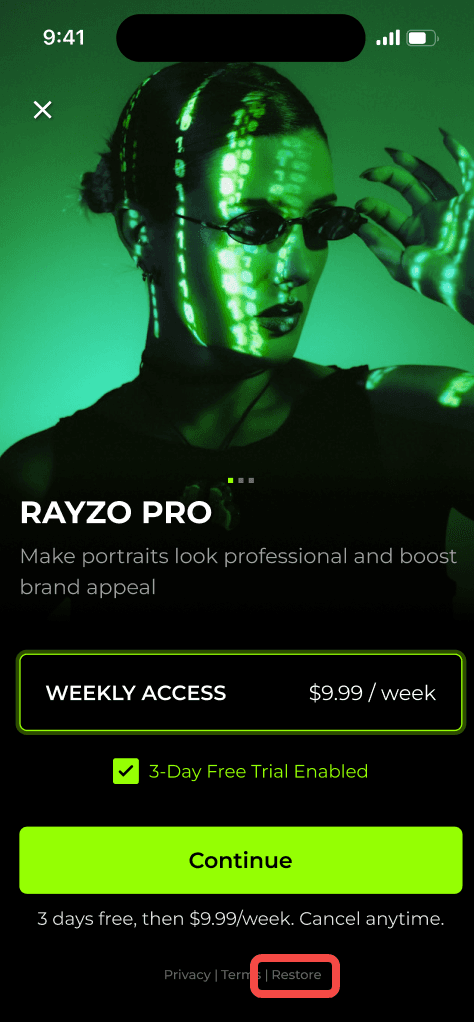
Step 3: Tap on the "Pro" icon in the top-left corner to access the subscription page.
Step 4: Tap the "Restore" button at the bottom.